The Microsoft Store listing is not published yet. This link uses Store ID 9MXJS98LHDG1 and currently leads to a product-not-found page. It does not go to CutOptimizer.
About Panel Cut Optimizer
Panel Cut Optimizer is a Windows desktop app (WPF, .NET 10) for rectangular panel cutting layouts. Package identity: lxb.PanelCutOptimizer. The default interface languages are English and Simplified Chinese (zh-CN).
It is a separate product from CutOptimizer, which plans one-dimensional cuts of bars, pipe, and lumber. This app is for rectangular sheet/panel layouts. The two apps have different Microsoft Store IDs (this app: 9MXJS98LHDG1; CutOptimizer: 9NHN5Q6C0S8Q).
What you can do
Enter part sizes (width, height) and quantities, and stock-sheet sizes, quantities, and kerf.
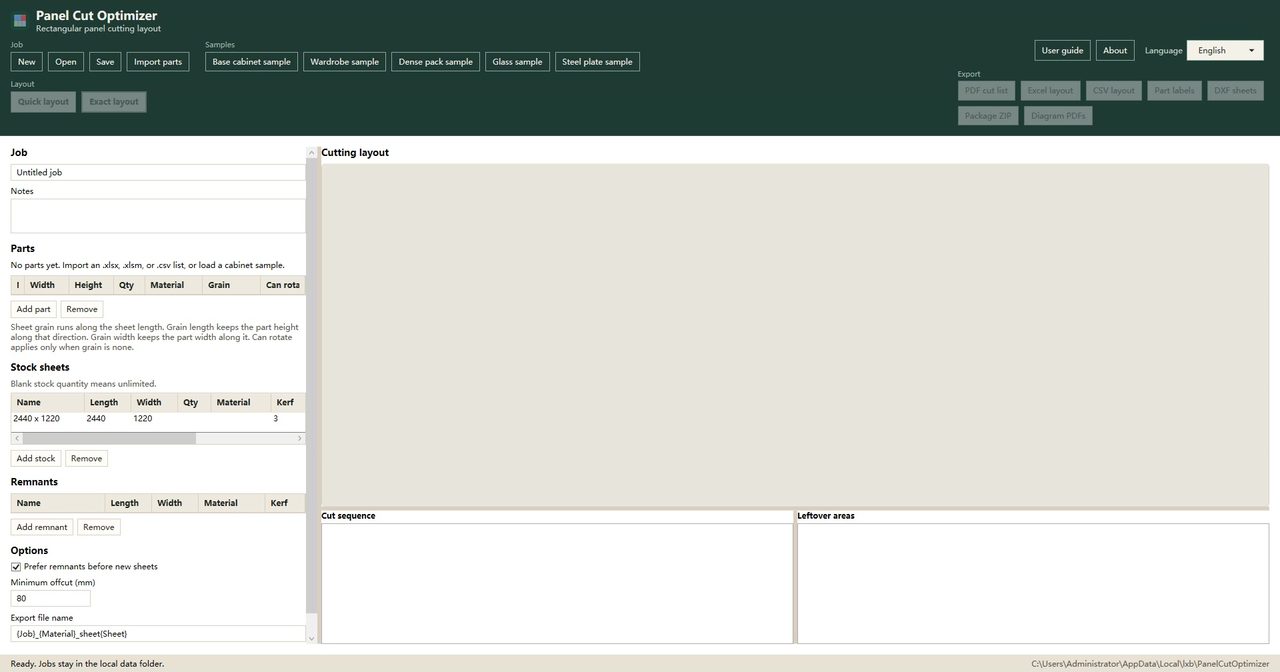
The empty-job screen also offers Import parts, and states that you can import an .xlsx, .xlsm, or .csv list, or load a sample.
The part and stock forms include labeled fields for material, grain, whether a part can rotate, remnants, and kerf.
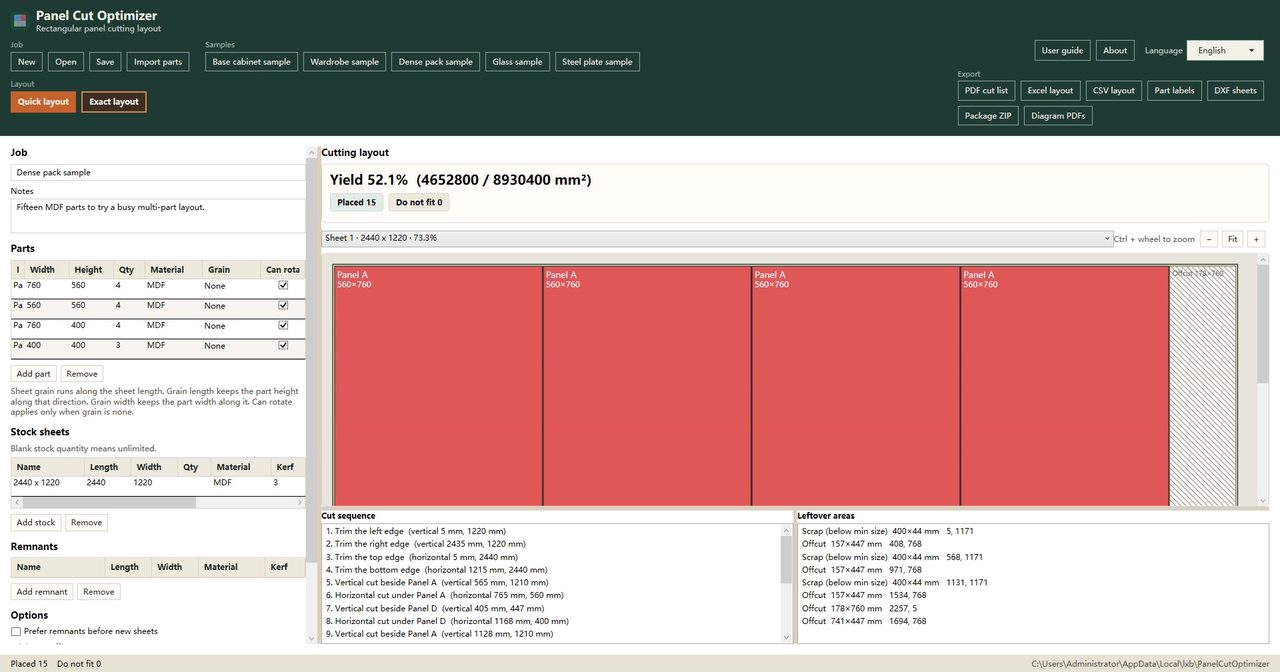
Run Quick layout or Exact layout, then compare the cutting layout, yield, placed / do-not-fit counts, cut sequence, and leftover areas.
The toolbar includes export actions labeled PDF cut list, Excel layout, CSV layout, part labels, DXF sheets, package ZIP, and diagram PDFs.
The status bar states that jobs stay in the local data folder.
App window
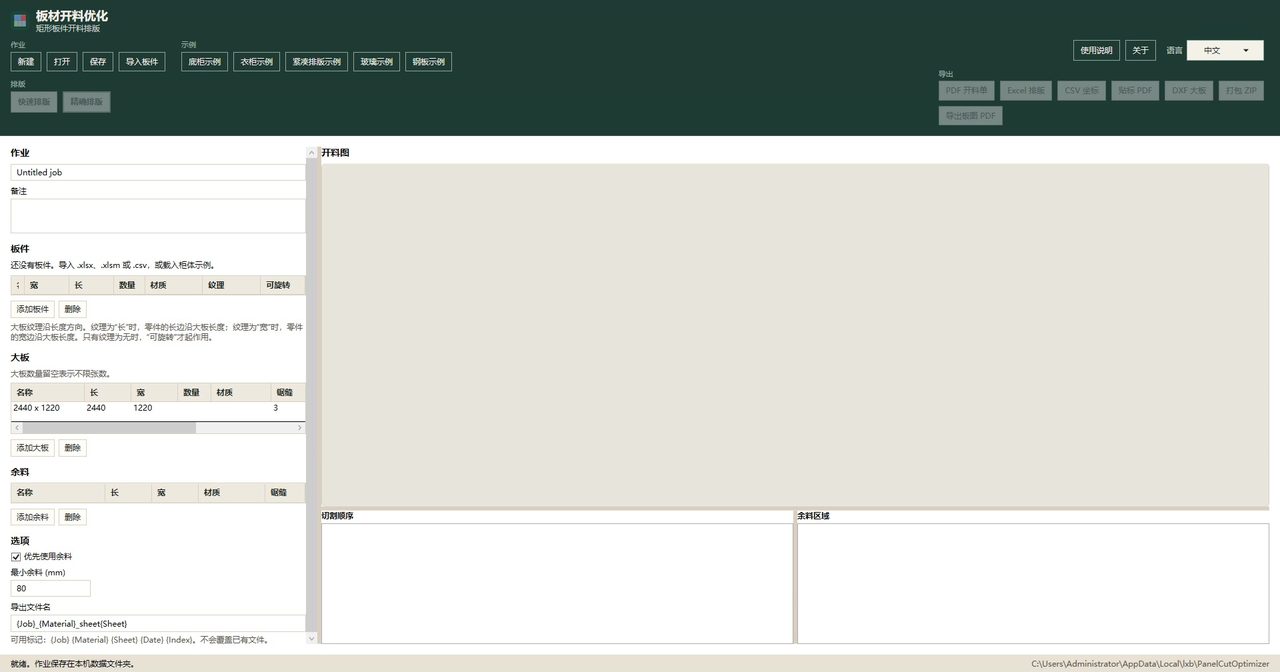
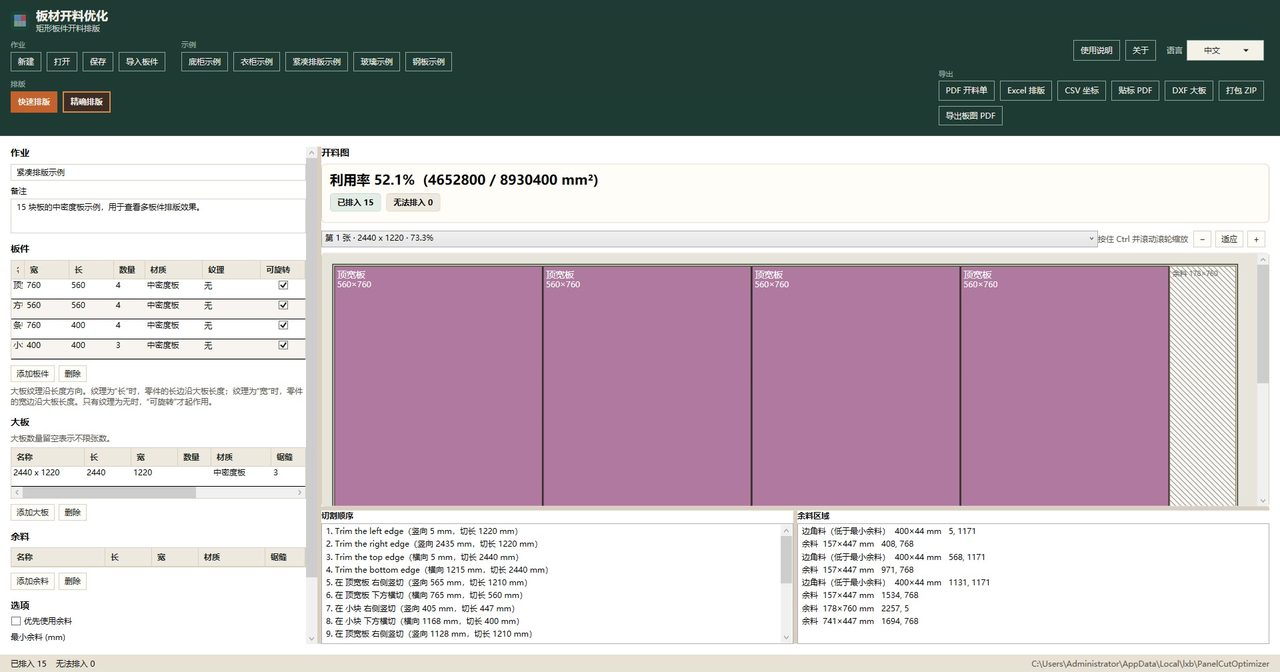
Part and stock-sheet size entry, before a layout is run (English UI).零件与大板尺寸输入,尚未运行排版(中文界面)。A layout result with yield, cutting sequence, and leftover areas (English UI).排版结果,含利用率、切割顺序和余料区域(中文界面)。
No. This is a separate app for rectangular panel layouts. CutOptimizer is for one-dimensional bar, pipe, and lumber cutting and uses a different Store ID.
Can I download it from the Microsoft Store now?
Not yet. Store ID 9MXJS98LHDG1 does not have a public listing. The Store button on this page uses that ID and currently does not open a product page.
What does the app do?
It is a Windows desktop app (WPF, .NET 10). You enter part and stock-sheet sizes and quantities, run Quick layout or Exact layout, and compare yield, placement, and the cutting sequence. Default languages are English and Simplified Chinese.
How much will it cost?
The Store draft lists $29.99 USD one-time, a 15-day trial, and no in-app purchases. That is not a confirmation that you can buy it yet.
Where is job data stored?
The app status bar states that jobs stay in the local data folder on the PC.
Privacy
Job data stays in the local data folder on your Windows PC. This site does not add extra tracking for the app. When a Microsoft Store listing is published, purchases would be handled by Microsoft.